 +1987 123456
 info@domain.com
 Rock Street, San Francisco
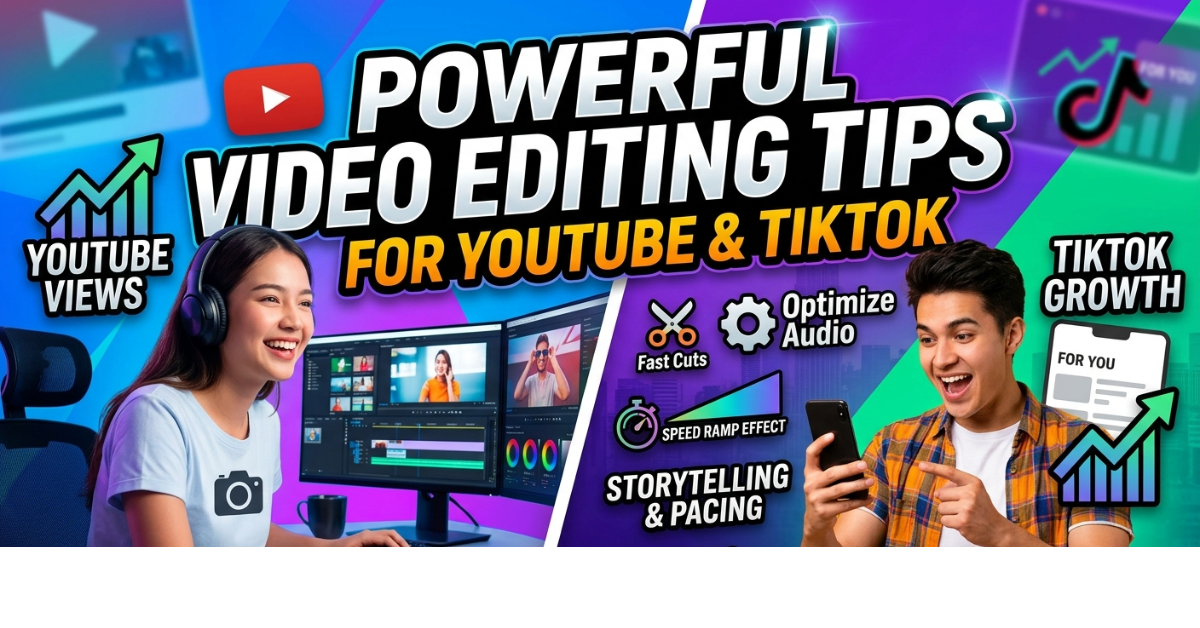
Great videos rarely happen by accident—they’re crafted in the editing room. Whether you’re creating content for social media, YouTube, or short-form platforms, knowing the right video editing tips can transform average footage into engaging content that keeps viewers watching.
From pacing your cuts to adding the right music and transitions, editing plays a huge role in storytelling and viewer retention. In this guide, you’ll learn practical video editing tips, including YouTube video editing tips and TikTok video editing tips, that both beginners and experienced creators can apply immediately.
Why Video Editing Matters for Content Creators
Before diving into techniques, it’s important to understand why editing is so powerful.
Good editing can:
-
Improve storytelling
-
Increase viewer retention
-
Make videos look more professional
-
Remove mistakes or boring sections
-
Strengthen emotional impact
Platforms like YouTube and TikTok reward content that keeps viewers watching longer, which means editing can directly affect your reach and engagement.
1. Start With a Clear Story
One of the most important video editing tips is to think about storytelling first.
Before you start editing, ask yourself:
-
What message does the video deliver?
-
What is the main highlight?
-
What should viewers feel by the end?
A simple structure works well:
-
Hook (first 3–5 seconds)
-
Main content
-
Key moment or value
-
Conclusion or call to action
Even short TikTok videos benefit from this structure.
2. Cut Out Unnecessary Footage
Beginners often leave too much footage in their videos.
A good rule is simple: if a clip doesn’t add value, remove it.
Cut out:
-
Long pauses
-
Mistakes
-
Repetitive dialogue
-
Slow sections
Shorter, tighter edits keep viewers engaged longer.
3. Hook Viewers in the First 5 Seconds
This is one of the most important YouTube video editing tips and TikTok video editing tips.
People decide quickly whether to keep watching.
Strong hooks include:
-
A surprising statement
-
A question
-
A quick preview of the best moment
-
A bold visual
For example:
“This editing trick doubled my YouTube views overnight.”
4. Use Jump Cuts to Maintain Energy
Jump cuts are extremely common in modern content creation.
They remove pauses and keep the pacing fast.
Jump cuts are especially effective for:
-
Talking-head YouTube videos
-
Educational content
-
TikTok tutorials
-
Vlogs
Fast pacing keeps viewers from clicking away.
5. Add Music for Emotional Impact
Background music can dramatically improve the feel of a video.
Choose music that matches the mood:
-
Upbeat for energetic content
-
Calm for storytelling
-
Dramatic for cinematic videos
Just make sure the music volume stays lower than the dialogue.
Helpful sources include:
-
YouTube Audio Library
-
Epidemic Sound
-
Artlist
6. Keep Transitions Simple
Many beginners overuse flashy transitions.
In most cases, simple cuts work best.
Use transitions only when necessary:
-
Scene changes
-
Time shifts
-
Location changes
Clean editing usually looks more professional than heavy effects.
7. Color Correct Your Footage
Color correction instantly improves video quality.
Basic adjustments include:
-
Brightness
-
Contrast
-
Saturation
-
White balance
Even simple tweaks can make footage look more cinematic.
Popular editing software includes:
-
Adobe Premiere Pro
-
Final Cut Pro
-
DaVinci Resolve
-
CapCut
8. Use Text and Captions
Captions improve both engagement and accessibility.
Many viewers watch videos without sound, especially on social media.
Adding captions helps:
-
Increase watch time
-
Improve accessibility
-
Highlight key points
This is particularly important for TikTok video editing tips, since most users scroll quickly.
9. Zoom Effects Add Visual Interest
Subtle zoom effects help keep the frame dynamic.
Use zoom-ins when:
-
Emphasizing a point
-
Highlighting reactions
-
Creating energy in talking videos
But avoid overusing them—too many zooms can feel distracting.
10. Match Cuts to the Beat of Music
This is a powerful editing technique.
When clips change on the beat of music, the video feels smoother and more engaging.
This is widely used in:
-
TikTok edits
-
Travel videos
-
Montage videos
-
Cinematic YouTube content
11. Use B-Roll to Enhance Storytelling
B-roll is secondary footage that supports the main scene.
Examples include:
-
Close-up shots
-
Environmental clips
-
Reaction shots
-
Detail footage
B-roll helps:
-
Cover jump cuts
-
Improve storytelling
-
Keep visuals interesting
12. Optimize Video Length
Different platforms prefer different video lengths.
YouTube Video Editing Tips
For YouTube:
-
Keep pacing fast
-
Remove filler content
-
Focus on viewer retention
Long videos are fine if they stay engaging.
TikTok Video Editing Tips
For TikTok:
-
Ideal length: 7–15 seconds
-
Fast cuts work best
-
The first 2 seconds are critical
Short-form platforms reward high watch completion rates.
13. Use Sound Effects Carefully
Small sound effects can make edits feel more polished.
Examples include:
-
Whoosh transitions
-
Pop effects
-
Click sounds
These are great for tutorials, memes, and tech videos.
14. Organize Your Editing Workflow
Efficient editors stay organized.
Create folders for:
-
Raw footage
-
Music
-
Graphics
-
Exports
A clean workflow saves hours during large projects.
15. Always Export in High Quality
Before publishing, export your video in the correct format.
Recommended settings:
YouTube
-
Resolution: 1080p or 4K
-
Format: MP4 (H.264)
TikTok
-
Resolution: 1080×1920 (vertical)
-
Aspect ratio: 9:16
Proper export settings ensure the best visual quality.
Best Video Editing Software for Beginners
If you’re starting out, these tools are beginner-friendly:
Free Tools
-
CapCut
-
DaVinci Resolve
-
iMovie
Professional Tools
-
Adobe Premiere Pro
-
Final Cut Pro
-
Sony Vegas
FAQs About Video Editing TipsWhat are the most important video editing tips for beginners?
Beginners should focus on:
-
Cutting unnecessary footage
-
Using simple transitions
-
Adding background music
-
Improving pacing
-
Using captions
Mastering these basics can dramatically improve video quality.
What are the best TikTok video editing tips?
Some effective TikTok video editing tips include:
-
Hook viewers within 2–3 seconds
-
Use fast cuts and jump edits
-
Add captions and trending sounds
-
Keep videos short and engaging
What are the best YouTube video editing tips?
The most useful YouTube video editing tips include:
-
Creating strong intros
-
Maintaining fast pacing
-
Adding B-roll footage
-
Using clear storytelling structure
Retention is one of the most important ranking factors.
Which software is best for video editing?
The best options depend on your skill level:
-
CapCut: Best for beginners and TikTok creators
-
DaVinci Resolve: Powerful free editor
-
Adobe Premiere Pro: Industry standard
Conclusion
Learning effective video editing tips can dramatically improve your content quality, whether you’re creating long-form YouTube videos or short viral clips for TikTok.
Focus on strong storytelling, tight cuts, good pacing, and simple visuals. Combine these with smart techniques like captions, music, and B-roll to create engaging content that keeps viewers watching.
The more you practice editing, the faster your workflow and creativity will improve.

Leave a Reply