 +1987 123456
 info@domain.com
 Rock Street, San Francisco

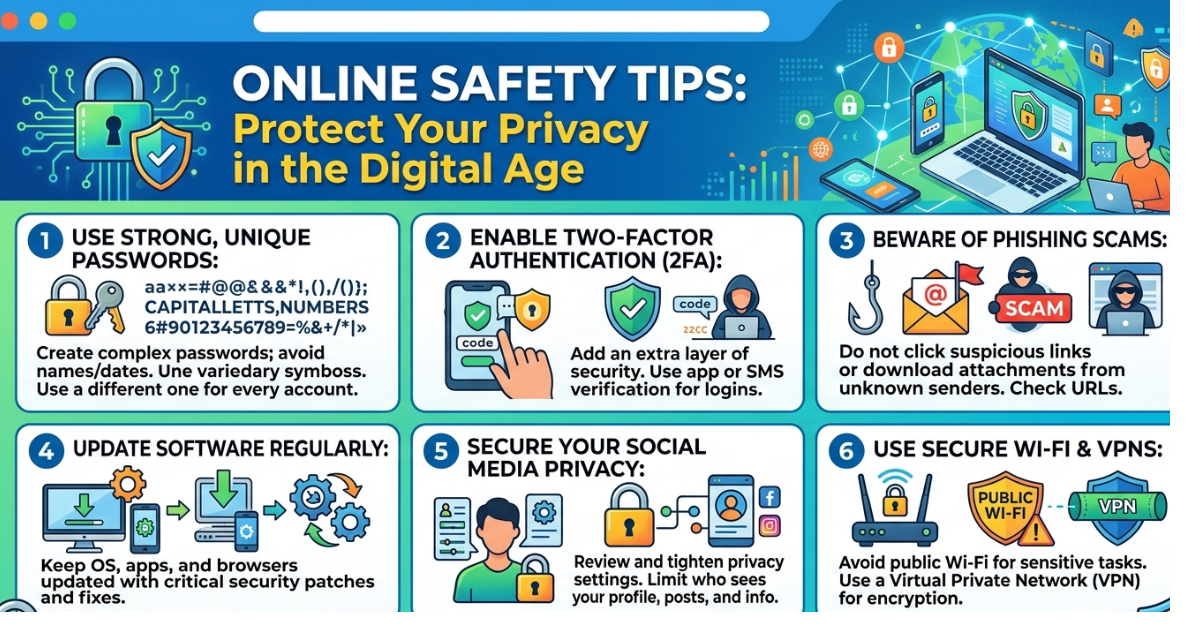
The internet has become a part of everyday life. From shopping and banking to social media and work, most of our activities now happen online. While this convenience is amazing, it also comes with risks like scams, data theft, and cyberattacks. That’s why learning online safety tips is more important than ever.
Whether you’re browsing social media, sending emails, or making online purchases, a few smart habits can protect your personal information and keep you safe. In this guide, we’ll explore practical online safety tips, explain common digital threats, and show you simple steps you can take to protect your privacy.
Why Online Safety Matters
Every day, millions of people share personal information online without realizing the potential risks. Cybercriminals often target individuals through phishing emails, fake websites, malware, and social engineering.
Common online threats include:
-
Identity theft
-
Phishing scams
-
Malware and ransomware
-
Data breaches
-
Social media hacking
By following basic internet safety practices, you can significantly reduce the chances of becoming a victim.
Essential Online Safety Tips Everyone Should Follow
1. Use Strong and Unique Passwords
One of the most important online safety tips is using strong passwords. Weak passwords make it easier for hackers to access your accounts.
A strong password should:
-
Be at least 12 characters long
-
Include uppercase and lowercase letters
-
Contain numbers and special symbols
-
Avoid personal information like birthdays or names
Helpful tip
Consider using a password manager to generate and store secure passwords.
2. Enable Two-Factor Authentication 2FA
Two-factor authentication adds an extra layer of protection to your accounts. Even if someone steals your password, they still need a second verification step.
Examples include:
-
SMS verification codes
-
Authentication apps (Google Authenticator, Microsoft Authenticator)
-
Biometric verification like fingerprint or face recognition
This is one of the simplest yet most effective cybersecurity tips.
3. Be Careful with Emails and Messages
Phishing scams are one of the most common cyber threats. Attackers send emails or messages pretending to be from trusted companies.
Watch for these warning signs:
-
Urgent or threatening language
-
Suspicious links or attachments
-
Requests for personal or financial information
-
Misspelled domain names
If something feels off, don’t click the link. Instead, visit the official website directly.
4. Keep Your Software Updated
Software updates often include important security patches that protect your device from vulnerabilities.
Always update:
-
Operating systems
-
Web browsers
-
Antivirus software
-
Mobile apps
Ignoring updates can leave your device open to cyberattacks.
5. Avoid Public Wi-Fi for Sensitive Activities
Public Wi-Fi networks in cafes, airports, and hotels can be risky. Hackers sometimes intercept data on unsecured networks.
To stay safe:
-
Avoid online banking on public Wi-Fi
-
Use a VPN (Virtual Private Network)
-
Turn off automatic Wi-Fi connections
Following this internet security tip helps protect your data from being intercepted.
6. Adjust Privacy Settings on Social Media
Social media platforms collect a lot of personal information. Sharing too much publicly can make you a target for scams or identity theft.
Make sure to:
-
Limit who can see your posts
-
Avoid sharing your home address or phone number
-
Be cautious about location sharing
A few privacy adjustments can greatly improve your online safety.
7. Install Reliable Antivirus Software
Antivirus software protects your devices from viruses, malware, and other threats.
Good antivirus programs can:
-
Detect malicious files
-
Block suspicious websites
-
Scan downloads automatically
Regular scans help keep your system secure.
8. Think Before You Click
Cybercriminals often use attractive offers or shocking headlines to trick users into clicking harmful links.
Before clicking any link:
-
Check the website URL carefully
-
Verify the source
-
Look for HTTPS security on websites
Practicing this habit can prevent many cyber threats.
Online Safety Tips for Families and Kids
Children are especially vulnerable online, so parents should teach them safe internet habits.
Helpful practices include:
-
Setting parental controls
-
Monitoring online activity
-
Teaching kids not to share personal information
-
Encouraging them to report suspicious messages
Educating children about internet safety builds long-term digital awareness.
Quick Online Safety Checklist
Use this simple checklist to stay secure online:
Use strong passwords
Enable two-factor authentication
Avoid suspicious links
Update software regularly
Use secure Wi-Fi networks
Review social media privacy settings
Install antivirus protection
Even small steps can make a big difference in protecting your digital life.
FAQs
What are the most important online safety tips?
The most important tips include using strong passwords, enabling two-factor authentication, avoiding suspicious links, updating software, and protecting personal information online.
How can I protect my personal information online?
You can protect your information by limiting what you share online, using secure websites (HTTPS), adjusting privacy settings, and avoiding public Wi-Fi for sensitive activities.
What is phishing and how can I avoid it?
Phishing is a cyberattack where scammers trick people into revealing personal information through fake emails or websites. Avoid clicking unknown links and verify the sender before responding.
Is public Wi-Fi safe to use?
Public Wi-Fi can be risky because hackers may intercept data. If you must use it, avoid logging into sensitive accounts and consider using a VPN.
Why is two-factor authentication important?
Two-factor authentication provides an extra security layer. Even if someone steals your password, they cannot access your account without the second verification step.
Conclusion
Staying safe online doesn’t require advanced technical skills—just a few smart habits. By following these online safety tips, you can protect your personal information, avoid scams, and reduce the risk of cyber threats.
Start with simple steps like creating strong passwords, enabling two-factor authentication, and staying alert for suspicious links. Over time, these habits become second nature and significantly improve your digital security.
As the internet continues to evolve, staying informed about online safety and cybersecurity will help you navigate the digital world with confidence.

Leave a Reply